
Security and notifications
Set up passkeys, review-bot policy, and browser wake-ups for terminal and approval events.
Before you begin
Decide which events need a person’s attention and which destinations are appropriate for workspace information. Keep sensitive content out of broad channels.
Security
Open Settings > Billing & Security > Security.
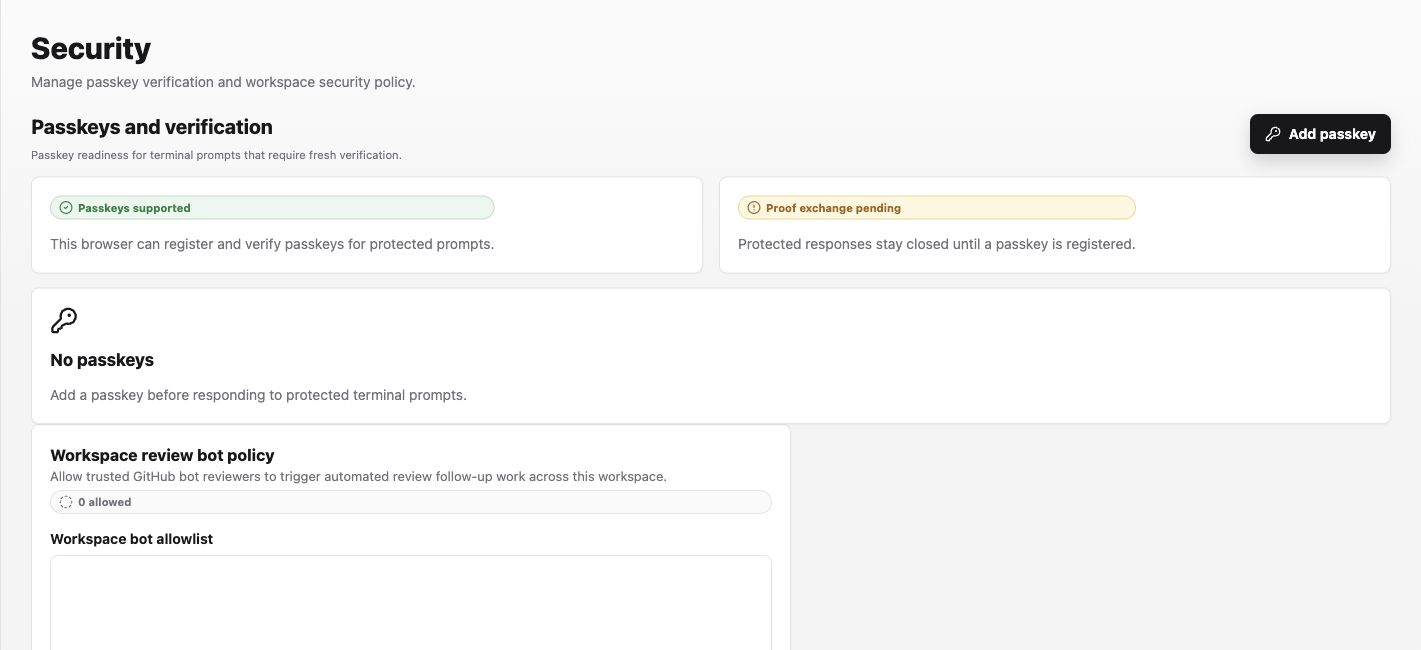
- Under Passkeys and verification, confirm the browser says Passkeys supported.
- Select Add passkey and complete the operating-system verification prompt. Labor0 should replace No passkeys with the registered passkey and allow protected proof exchange.
- Under Workspace review bot policy, enter only trusted GitHub bot logins. Separate values with commas or new lines; leading
@and the[bot]suffix are normalized by the app. - Select Save review bot policy and confirm the allowed count changes.
Example allowlist:
Notifications
Open Settings > General > Notifications. These controls apply to the current browser and workspace.
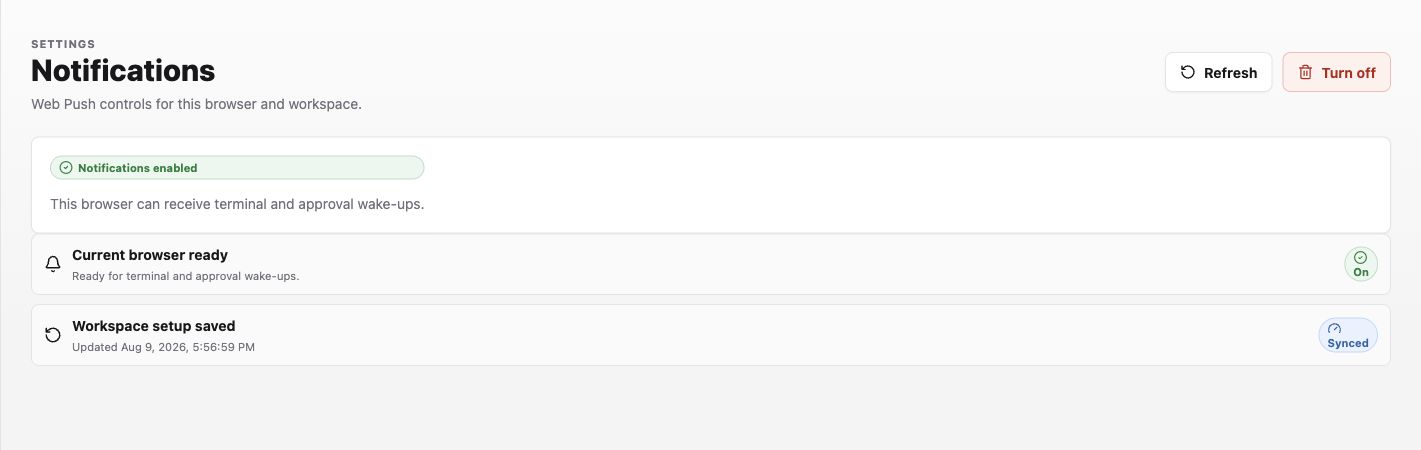
- If the page says Notifications are off, select Enable and allow the browser permission request.
- If it says Subscription needs sync, select Sync this browser.
- If it says Browser blocked, allow notifications for the Labor0 origin in browser settings, then select Re-check permission.
- When enabled, use Refresh to update the saved subscription or Turn off to remove it from this browser.
Expected result
Passkey setup reports a registered credential instead of No passkeys. Notification setup reports Notifications enabled, Current browser ready with On, and Workspace setup saved with Synced. Terminal and approval work remains visible in the notification center even when Web Push is unavailable.
Permission guidance
Security controls and notification settings may be split between workspace and personal ownership. Use the app’s visible role and scope guidance.
If notifications stop
Symptom: an expected alert is missing. Likely cause: the destination is disabled, the event is out of scope, or delivery needs reauthorization. Safe recovery: inspect the app preference and redacted status, then reconnect the destination through its protected flow.