
Repositories
Register repositories and bind them to projects after GitHub access is ready.
Before you begin
Complete GitHub connection. Know which repository should support the project, whether it needs Read-only or Read-write access, and whether read-write work should use Auto PR.
Read the setup summary
The workspace repository overview shows separate counts for Personal accounts, App installations, and Registered repositories.
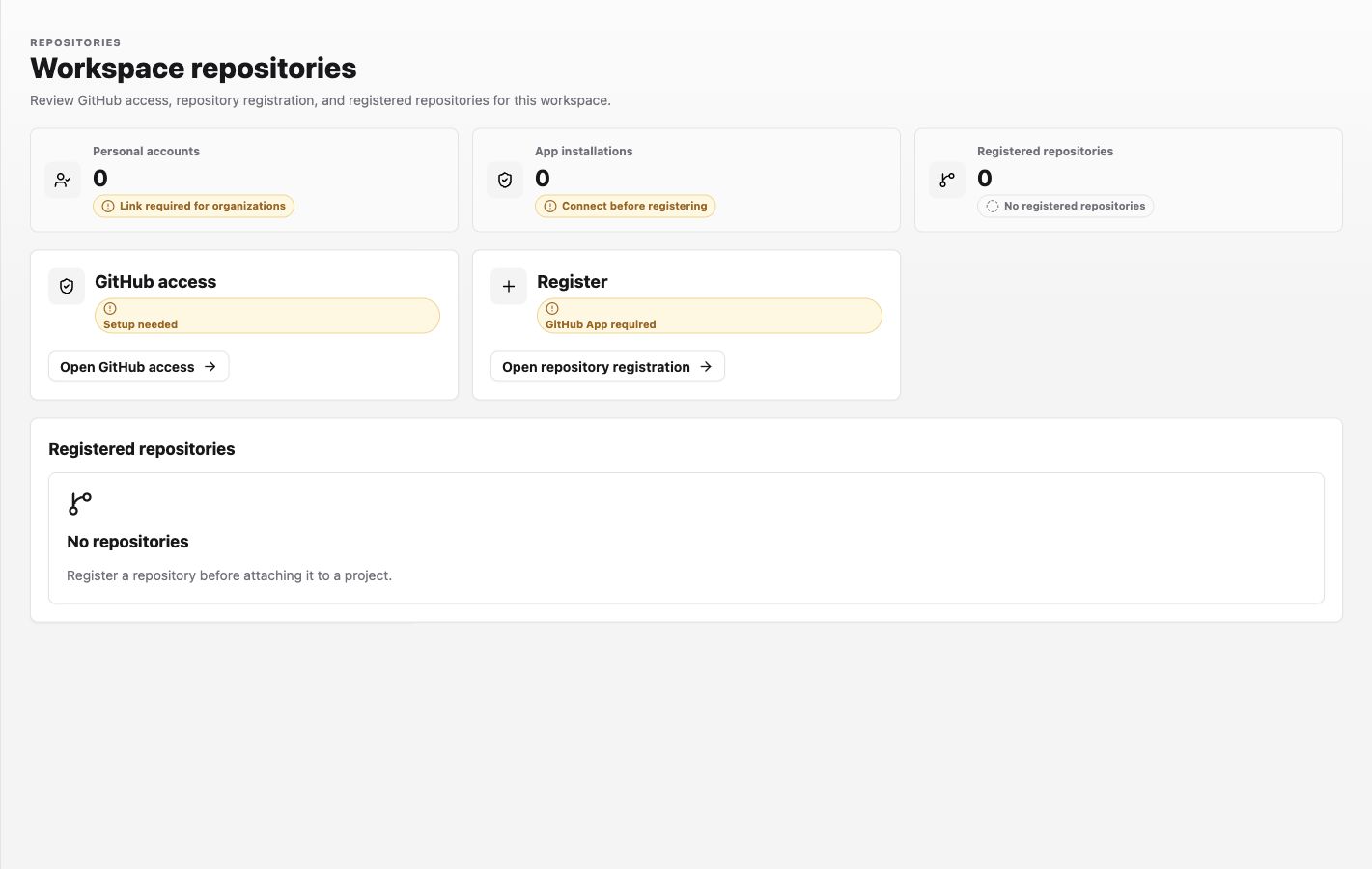
Use the warning nearest the zero count as the next step. For example, Connect before registering means repository registration is correctly blocked until a GitHub App installation exists.
Procedure
- Open Settings > Integrations > Repositories in the workspace.
- Confirm that the correct personal account and GitHub App installation are present.
- Open Register, select the intended owner and repository, and register it in the workspace catalog.
- Confirm that it appears under Registered repositories.
- Open the intended project settings and bind that registered repository.
- Review the attached repository row, its Read-only or Read-write access, and whether the Auto PR status is present. Auto PR is available only with read-write access. Record the access and Auto PR state before replacing a binding.
Change an existing binding's access
An attached repository row exposes Detach, not an access-mode editor. A Workspace Operator or above must replace and restore the binding; if you are a Viewer, contact a project or workspace Operator or Admin. To change an existing Read-write binding to Read-only, first record the current access and Auto PR state, check for in-flight work, and coordinate with the project owner or affected teammates because the binding is project-wide. Select Detach, then use Attach from catalog, reselect the repository, choose Read-only, and attach it again. After the analysis, reverse those steps—detach the read-only binding, reselect the repository under Attach from catalog, choose the recorded prior access, restore the recorded Auto PR state when reattaching read-write access, and attach it again—when restoration is safe and coordinated. Use a separate project or repository binding when changing the shared binding would disrupt other work.
Example and expected result
If the code lives at acme/widgets, connect the acme installation, register widgets, and bind it only to the project that owns that code. The expected workspace result is a registered-repository row for acme/widgets; the expected project result is a visible binding to the same repository with its chosen access and Auto PR state. A repository appearing in the workspace catalog but not in project settings is registered, not yet bound.
Permission guidance
Repository catalog and project binding permissions can differ. Organization installation policy remains with GitHub; workspace policy remains with Labor0.
If binding is blocked
Symptom: a registered repository cannot be selected. Likely cause: its GitHub installation no longer covers it, the project role cannot edit settings, or a different workspace owns the registration. Safe recovery: compare the selected workspace and repository owner, inspect GitHub access, and ask the correct owner to repair the connection or binding.