
Connect GitHub
Give Labor0 the repository access it needs through the authenticated GitHub connection flow.
Before you begin
Use a GitHub account that can see the intended repository. Know whether the repository belongs to your personal account or an organization with an installation policy.
What you will see
The repository overview separates identity, GitHub App installation, and repository registration so that a missing prerequisite is visible.
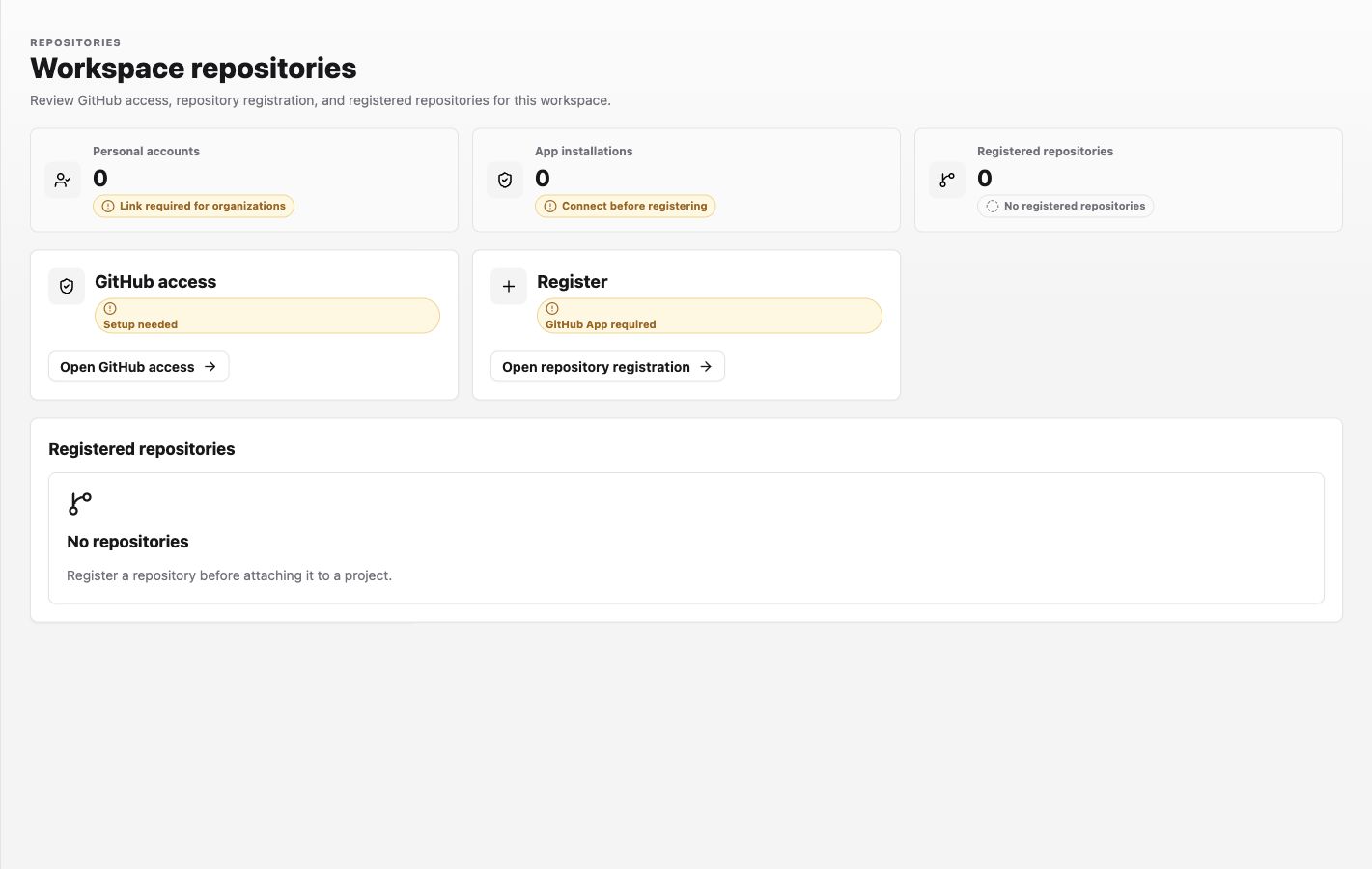
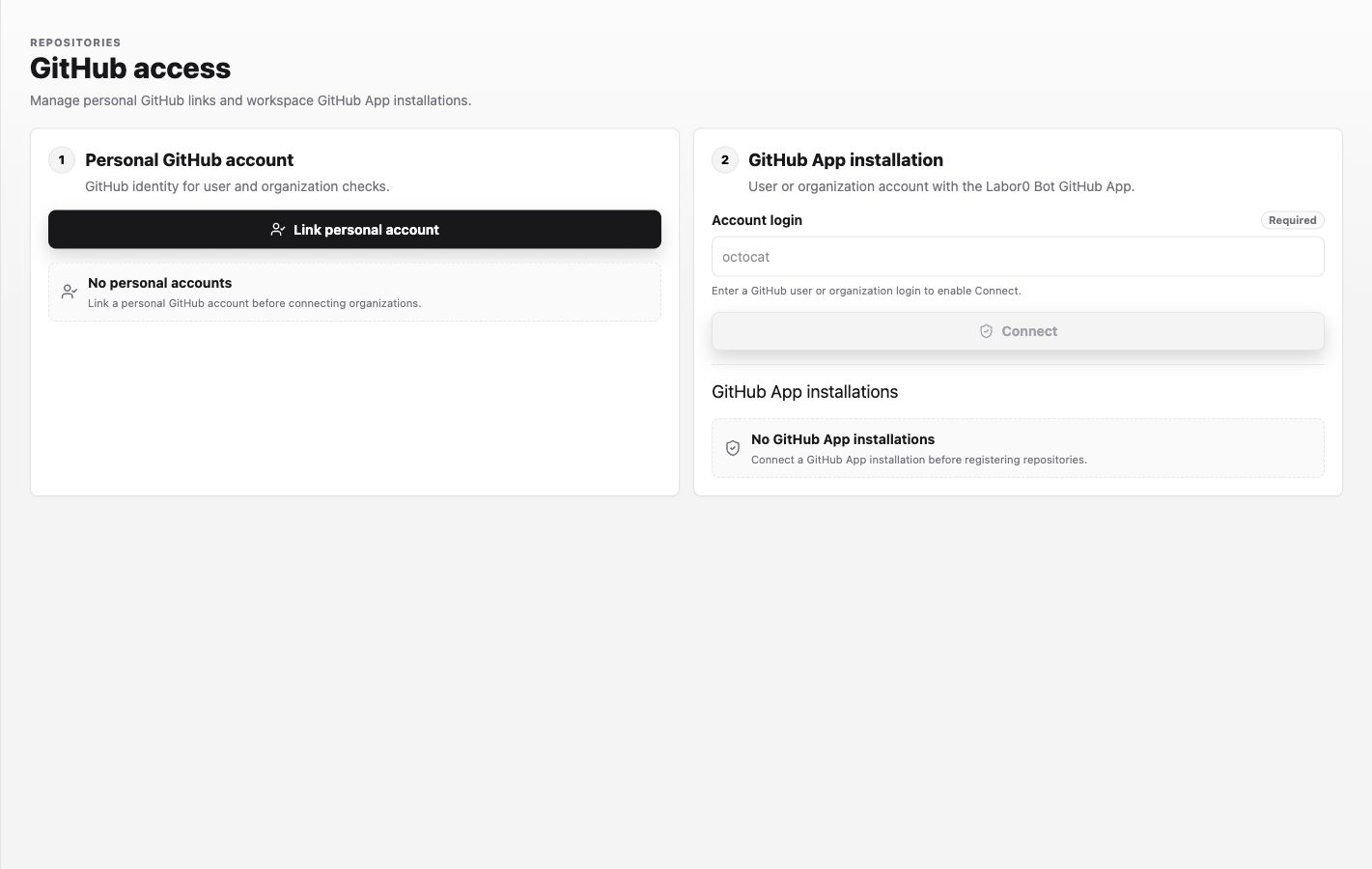
Open GitHub access to complete the two account-level steps. The Account login example shown by the app is octocat; enter the actual user or organization login that owns your repository.
Procedure
- In the Labor0 app, open Settings > Integrations > Repositories.
- Select Open GitHub access, then Link personal account. Complete the protected GitHub authorization and return to the same workspace.
- Under GitHub App installation, enter the repository owner's user or organization login and select Connect.
- Return to the repository overview and select Open repository registration.
- Choose the intended repository and register it in the workspace catalog.
Expected result
The overview no longer reports Setup needed for the connection you completed. The installation appears under GitHub App installations, and the repository appears under Registered repositories. Registration makes the repository available for project binding; it does not bind it to every project automatically.
Permission guidance
GitHub account access and organization installation permission are separate. An organization owner may need to approve the installation; Labor0 cannot bypass that policy.
If the repository is missing
Symptom: GitHub is connected but the repository is not selectable. Likely cause: the GitHub App installation does not cover it, the wrong owner login was connected, or the connection is stale. Safe recovery: compare the repository owner with Account login, use the app’s reconnect or installation settings, then refresh the repository list.