
Knowledge sources
Beta: Knowledge sources are L0 Nexus capabilities available for evaluation and may change as supported sources expand.
Connect a verified knowledge source when repository context alone is not enough. The source families below are currently usable in Labor0.
Supported source families
Notion, OneDrive, and AFFiNE are unavailable for app setup. Labor0 does not offer a connector or source setup path for them. Existing Notion and OneDrive records remain visible in the app for status review and cleanup.
Before you begin
Write down the question the source should answer and choose the smallest useful scope. Confirm the source owner can authorize access and review indexing results. A public website must be reachable without sign-in; storage credentials should be limited to the intended bucket or path.
Choose a source type
Open L0 Nexus > Sources, then select New source. The chooser tells you whether the source requires an active connector.
Provider authorization
Labor0 requests only the read capabilities needed for the selected source. These are the public permission names used by the provider setup; they do not grant broader access than the source row describes.
Procedure
- Open L0 Nexus > Connectors when the selected source says that a connector is required.
- Select New connector, choose the provider, and complete its protected GitHub App, OAuth, or manual-credential handoff.
- Return to Sources, select New source, and choose the source type.
- Complete only the fields shown for that type. Select Create source after every required field is present.
- Open Indexing and wait for completion. A ready source shows its indexed document count; a failed source offers Retry sync or Resync now when self-service recovery is available.
Example: public handbook
This example indexes a public documentation site and requires no connector.
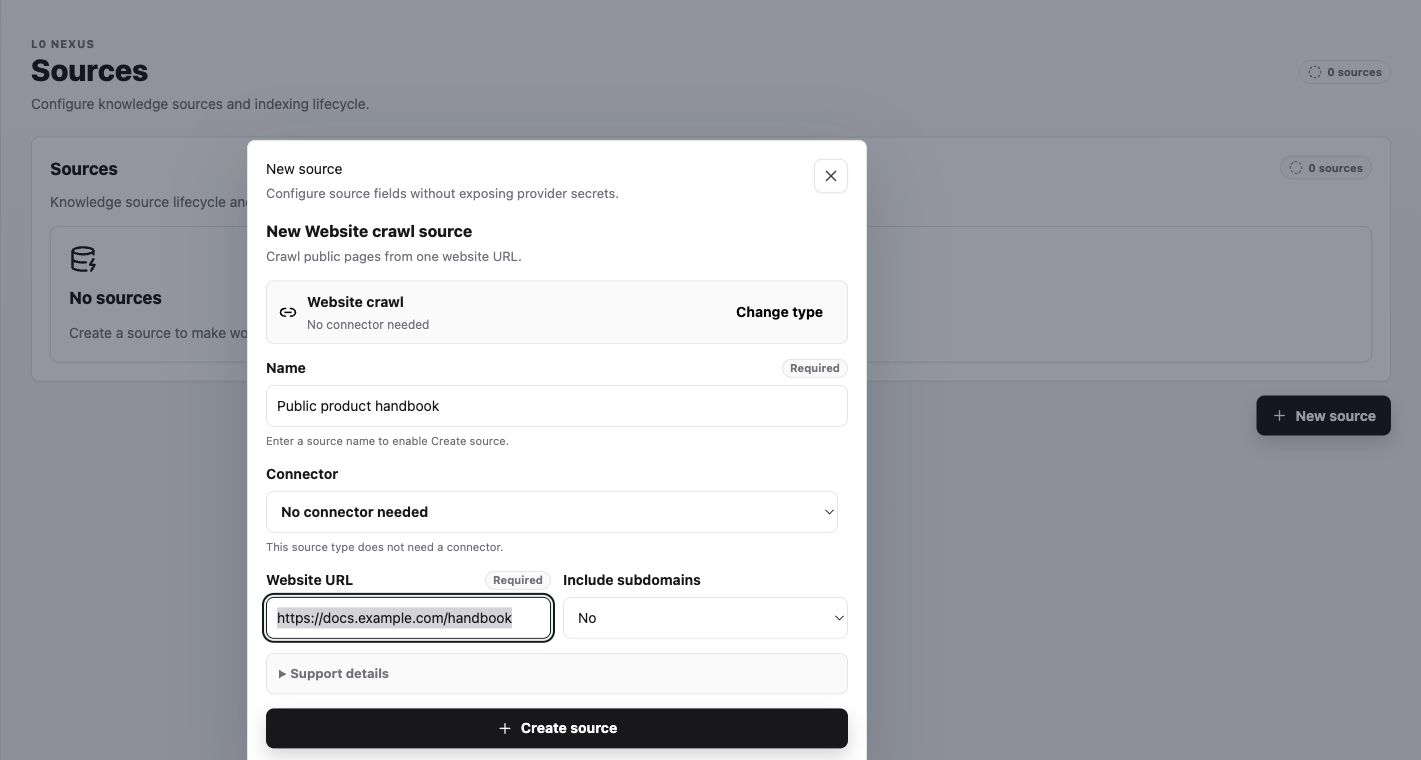
Expected result
After Create source, the dialog closes and the Sources count increases. In Indexing, a successful run shows the source name, indexed document count, and completion time. Do not use the source in Graph Chat until indexing has completed.
Labor0 access boundary
Workspace Viewer and above may view source and connector state, run permitted read-only knowledge and data access, and view messenger bridge state. Workspace Operator and above may use explicitly read-write data bindings. Workspace Admin and above may create, change, archive, reconnect, or disconnect knowledge sources and connectors, and manage messenger installations and channel-to-project bindings.
Provider-side organization or account approval may still be required. Linking a provider actor and binding a project channel do not bypass Labor0 membership or project access.
If indexing does not finish
Symptom: the source remains unavailable. Likely cause: authorization changed, the source is too broad, or indexing is still running. Safe recovery: read the app status, reconnect or narrow the source there, and wait for a fresh status.