
Data bindings
Beta: Data bindings are L0 Nexus capabilities available for evaluation and may change as supported data providers expand.
Connect a source to a project or workspace purpose with an explicit, reviewable binding.
Before you begin
Decide which workspace or project needs the data, which operations it may perform, and who should be able to change the binding. Ask the provider owner for a least-privilege account or create a protected connector before opening the form.
Choose a binding type
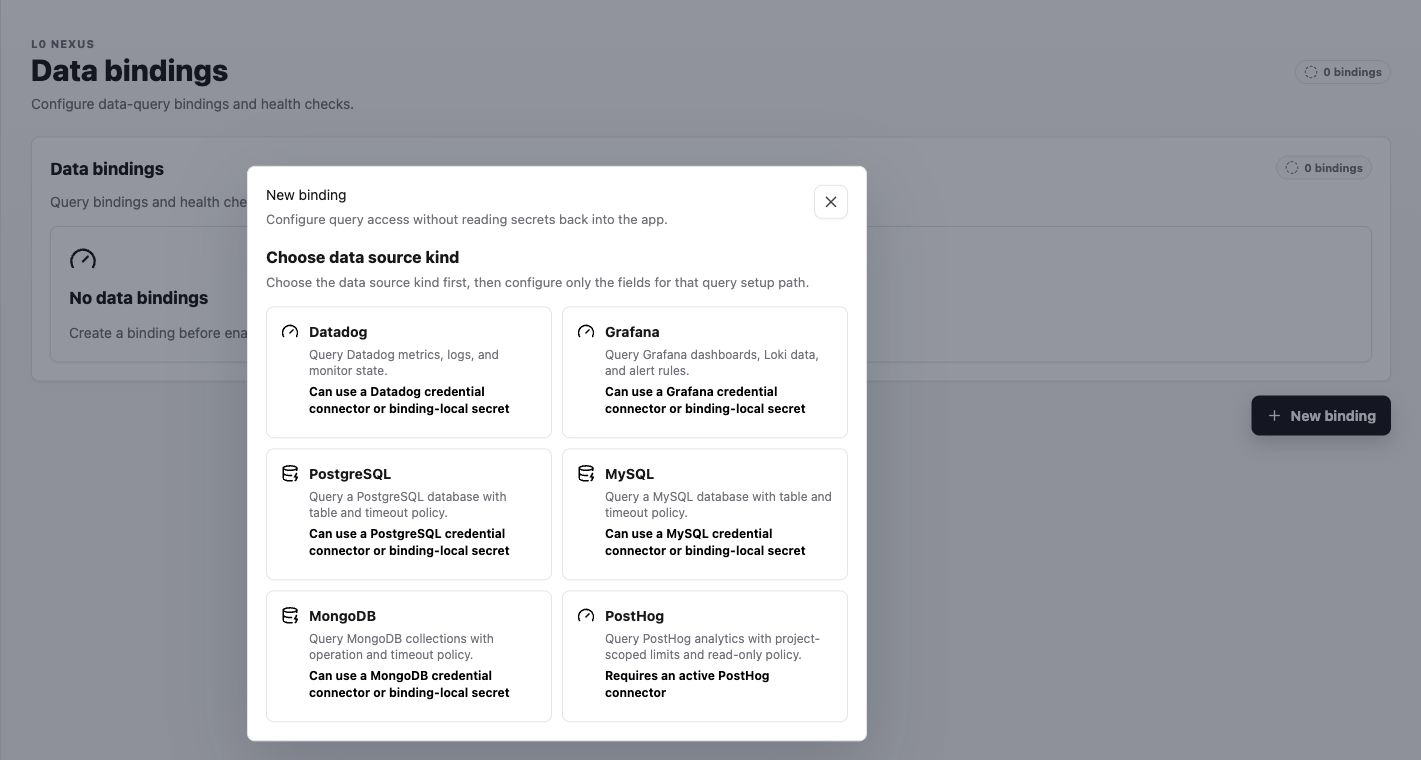
Open L0 Nexus > Data bindings, then select New binding. Labor0 currently presents Datadog, Grafana, PostgreSQL, MySQL, MongoDB, and PostHog setup paths.
Procedure
- Select the data source kind. The form changes to show only that provider’s fields.
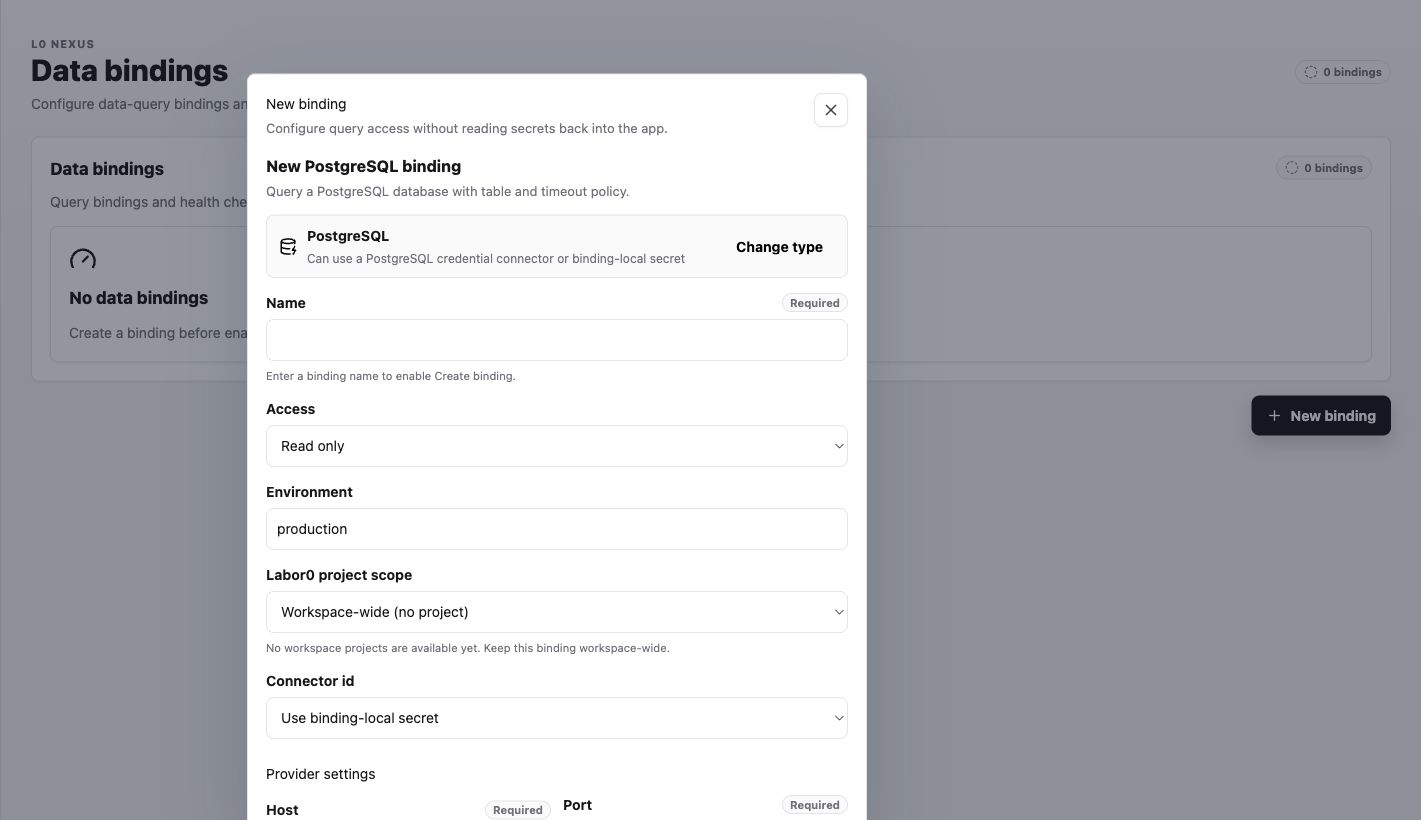
- Enter a descriptive Name, choose Read only unless the workflow explicitly requires writes, and confirm Environment.
- Choose Labor0 project scope. Use Workspace-wide (no project) only when every project with access should use the binding.
- Select a saved Connector id or Use binding-local secret. Protected secrets are write-only and are not read back into the app.
- Complete the provider policy fields, select Create binding, and use Test on the resulting row before relying on it in a task.
Example: read-only PostgreSQL reporting
The PostgreSQL form makes scope and query limits visible before credential fields.
Expected result
After Create binding, the Data bindings count increases and the row shows its provider, access, environment, and health. A successful Test reports a healthy connection. If the test fails, correct the named setting or reconnect its connector before retrying.
Permission guidance
Bindings can grant useful context without granting administration of the source. Keep binding changes with the workspace or project role responsible for data access.
If context is not available
Symptom: an assistant cannot use the bound source. Likely cause: indexing is incomplete, scope is wrong, or access was revoked. Safe recovery: inspect source and binding status in the app, then correct the smallest failing prerequisite.