
Connect Labor0
Add only the repository, knowledge, data, or MCP access that a workspace or project needs.
Before you begin
Choose the workspace or project that should own the connection. Have access to the external account, but do not paste access tokens, private URLs, or provider payloads into public docs or chat.
Connection paths
What you will see
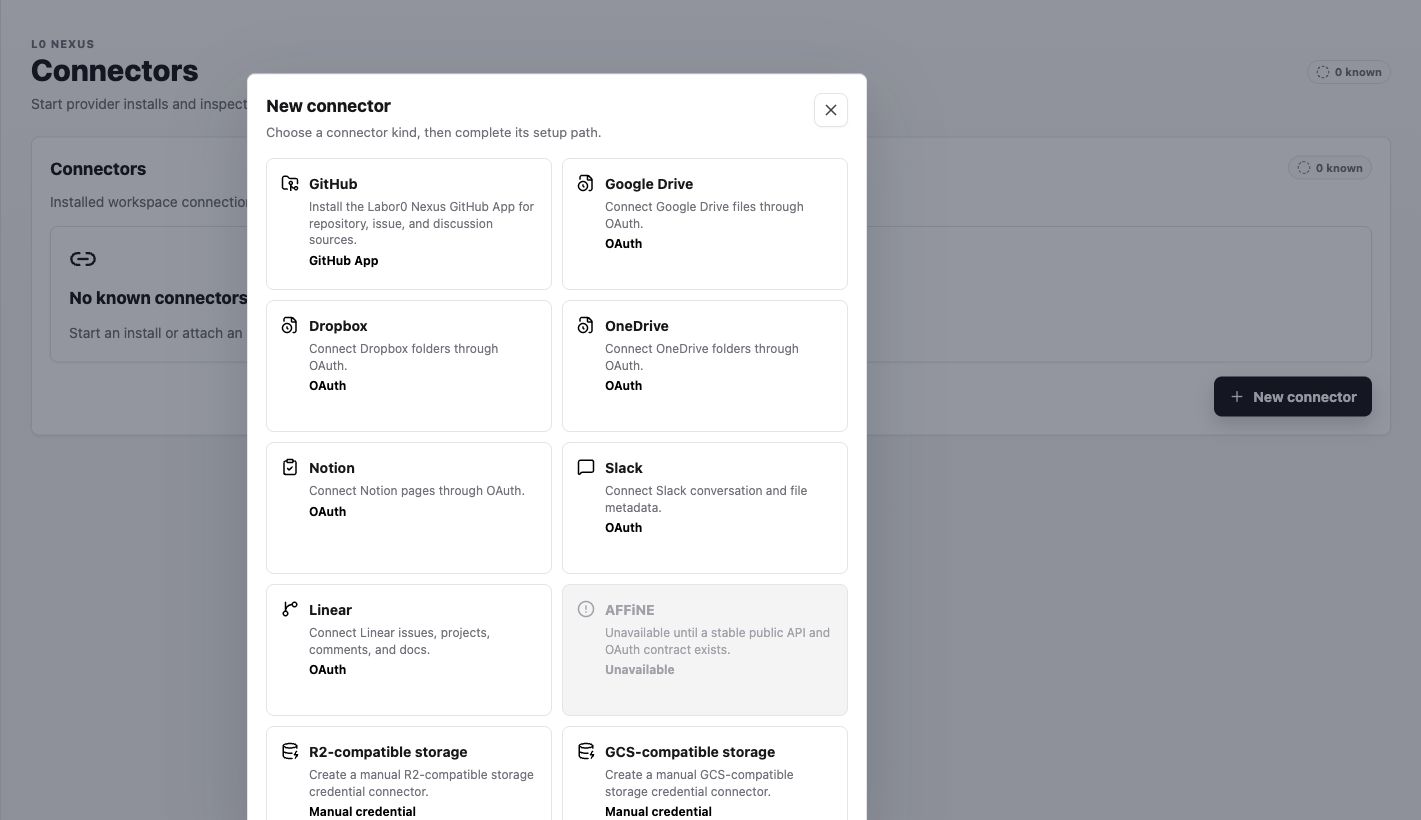
Choose New connector to see the setup methods available to this workspace. OAuth providers, GitHub App access, and manual credentials stay in their protected setup flows.
Expected result
A successful connection appears in Connectors. Create a Source for indexed knowledge or a Data binding for queries, then verify that resource before using it in a task.
Permission guidance
Connection setup, authorization, indexing, binding changes, and secret rotation are protected app actions. If a button is absent, ask the workspace or project administrator rather than using an untracked workaround.
Continue in the app
Open Labor0 and use the current workspace or project navigation.
If a connection is unhealthy
Symptom: a source or endpoint is unavailable. Likely cause: authorization expired, scope changed, indexing is incomplete, or the endpoint no longer meets its requirements. Safe recovery: inspect the redacted status in the app, reconnect or reindex there, and never publish the underlying credential.