
Create a project
Create a focused project and choose the defaults that keep agent work reviewable.
Before you begin
Create the workspace and register the repository first. Decide what the project owns and who should review plans, quality evidence, and pull requests.
Example project
The create form requires Name and Slug; Description is optional. The slug accepts lowercase letters, numbers, and hyphens.
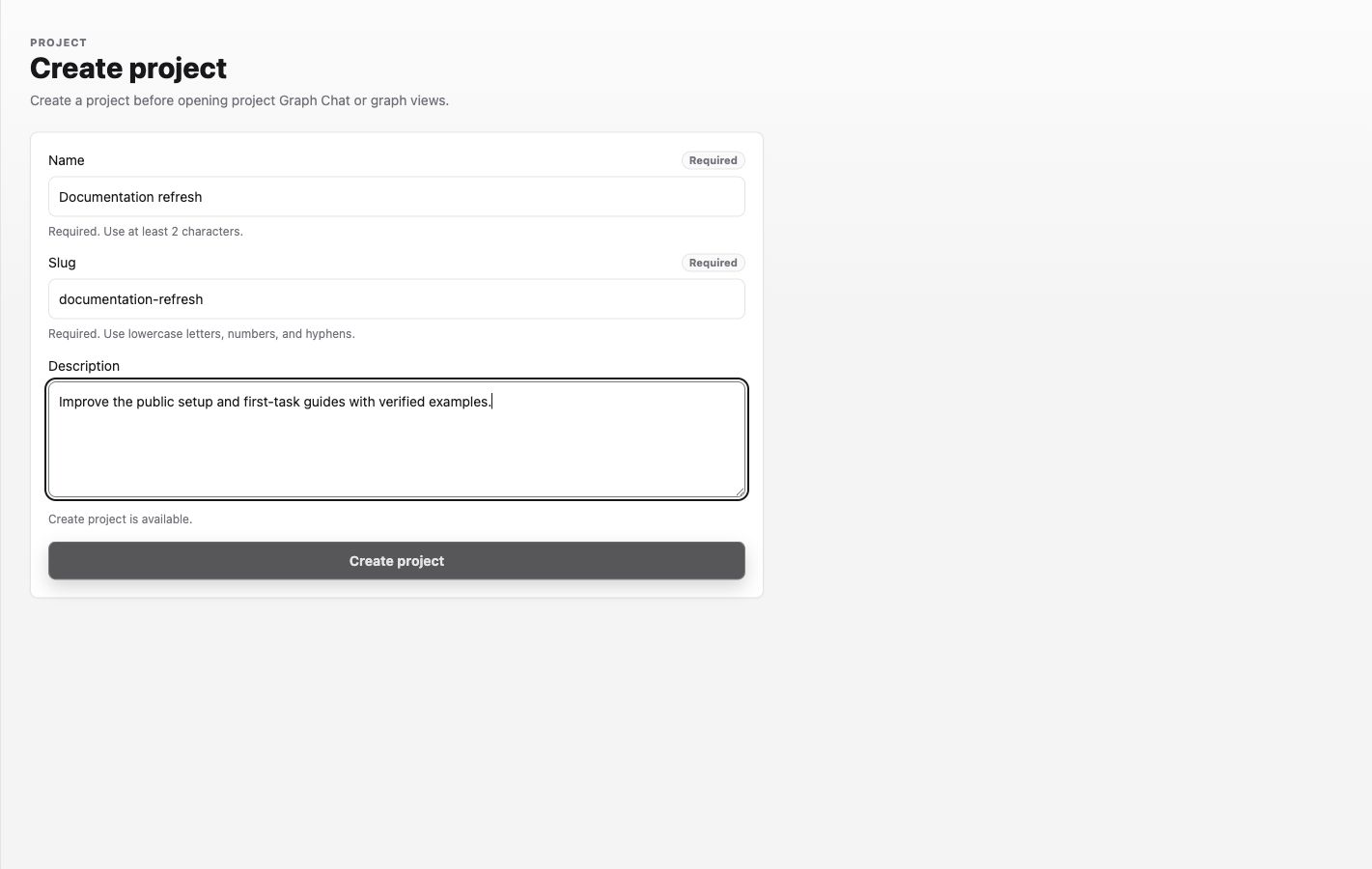
The example was entered in the demo form for this capture; the project was not created.
Procedure
- In the Labor0 app, open Projects and select New project.
- Enter Name, Slug, and an outcome-focused Description. The Create project button becomes available after the two required fields are valid.
- Select Create project once and wait for the project page to open.
- In Project settings > Agent defaults, review the four initial Workers. Worker details are arranged in an accordion: select a Worker header to expand or collapse its details, and leave multiple Workers open when comparing them. Each Worker has a unique name, a Harness, a required model, and an optional reasoning override. Assign Workers to each required role before starting work. Follow-up assignments are optional. The four Workers are only the initial seeded set; select Add Worker to configure additional Workers.
- Bind the intended registered repository and review the saved settings.
Worker guidance
Workers are reusable only within their Project. Collapsing a Worker keeps its edits, and adding a Worker expands the new Worker so you can enter its details immediately. The selected Worker determines the Harness and model; an explicit Worker reasoning override takes precedence over reasoning proposed during Graph review. Leaving the override unset uses the provider default or the reviewed value. Fast mode and Runner selection are separate settings, and Fast mode applies only to Codex Workers.
When saving, keep the page open until Worker configuration saved appears. If another editor saved first, Labor0 keeps your draft and asks you to reload the latest revision before retrying. A Worker that is still assigned cannot be deleted: reassign every role first. Names are compared without letter case and with repeated spaces collapsed, so Standard tier and standard tier conflict.
Runner setup guidance
After creating the project, Project settings > Runners > Runner setup accepts one shell command per non-empty line. Labor0 runs commands in order from the primary repository root before each runner phase; a failed command prevents the agent from starting, and a blank value means no project setup. Hosted runners use Debian and may use sudo apt-get. Setup commands run with a sanitized environment and cannot read workspace runtime credentials or project environment variables. Repository checkout and GitHub access remain available through Labor0's managed repository access; private package-registry authentication is not provided to setup commands.
Select Save runner setup, then wait for the visible Runner setup saved confirmation before leaving the page.
Expected result
The project appears in Projects and its project navigation exposes Graph, Sessions, and settings. A repository-backed task should not be started until the intended repository is visibly bound to this project.
Permission guidance
Project creation and settings usually require a workspace role that can manage projects. Repository binding and review-bot choices may have their own controls.
If a project cannot start work
Symptom: Create project remains disabled. Likely cause: Name has fewer than two characters or Slug contains uppercase letters, spaces, or unsupported punctuation. Safe recovery: correct the field named by the form. If the project exists but task creation is disabled, inspect project settings for a missing repository, required Worker assignment, or permission. Do not assume a fallback Harness; reload the Worker configuration and correct the named role.